If your business serves customers in a space the public can enter, braille sign rules for small businesses almost certainly apply to the signs that name your permanent rooms and spaces. The short version: those signs need raised tactile characters plus Grade 2 braille, mounted so the lowest braille cell sits between 48 and 60 inches above the finished floor, on the latch side of the door. Nothing else in your building is regulated this precisely, which is why it gets messed up so often.
This guide walks through which signs actually trigger the requirement, what the federal numbers are, where the sign has to hang, and how to check a supplier’s work before you pay the invoice. It is general information, not legal advice, and state and local codes can add rules on top of the federal floor.
Table of Contents
- Braille Sign Rules for Small Businesses at a Glance
- Does Your Small Business Need Braille Signs?
- No, the 15-employee threshold does not exempt you from signage
- Non-compliance is complaint-driven, not inspection-driven
- What Does the ADA Standard Actually Require?
- Braille sign rules for small businesses: required wording and exceptions
- The federal measurement spec you can verify with a ruler
- What state and local codes add on top
- A digital screen does not replace a required tactile sign
- Where your logo and brand colors fit
- How to Read Grade 2 Braille Correctly
- Where Must Tactile and Braille Signs Be Mounted?
- How to Order a Compliant Braille Sign
- How to spot fake braille before you pay for it
- Do Temporary Signs and Stickers Need Braille?
- How to Inspect and Maintain Braille Signage
- A ten-minute self-audit you can run yourself
- What to do after a remodel, rename, or break
- Frequently Asked Questions
- Does every business sign need braille?
- Do temporary signs, window decals, and marketing signs need braille?
- Can braille be added automatically to an existing sign?
- How far above the floor should a room sign be mounted?
- What is the difference between grade 1 and grade 2 braille?
- Can state or local accessibility laws require more than the ADA?
- What to Do First
Braille Sign Rules for Small Businesses at a Glance
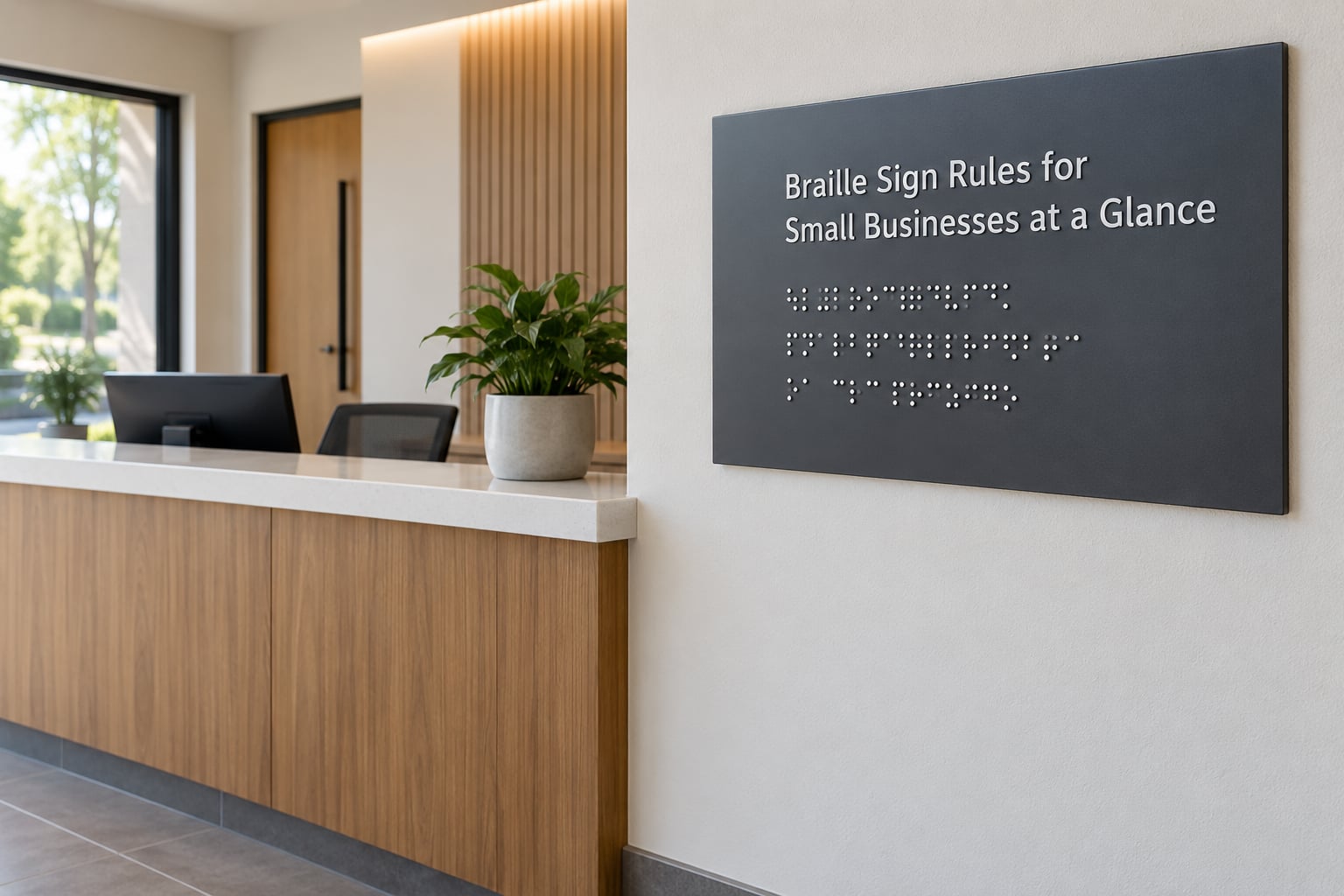
Seven rules cover most of what a small business needs to know. If you remember nothing else from this page, remember these.
- One test decides whether a sign counts: it identifies a permanent room or space, or names a permanent designation like EXIT or STAIRS.
- Tactile characters must rise at least 1/32 inch above the background surface of the sign.
- Character height runs from 5/8 inch to 2 inches above the background surface, measured to the top of the uppercase characters.
- Braille dots must be domed, not printed. Minimum base diameter 0.043 inch, minimum height 0.019 inch.
- Braille goes directly below the tactile text, leftmost braille cell aligned with the leftmost tactile character.
- The lowest braille cell baseline lands between 48 and 60 inches above the finished floor, measured on the latch side of the door.
- Signs meant to stay up seven days or less are exempt. So are directories, menus, seat and row designations, and instructions for equipment use.
Here is the same information laid out against the 2010 ADA Standards for Accessible Design, which is the reference the U.S. Department of Justice publishes on ada.gov.
| Rule | What the standard says | Where it lives |
|---|---|---|
| Which signs | Tactile signs required for permanent room and space designations, including restrooms and doors | 216.2 |
| Character raise | Minimum 1/32 inch above the background surface | 703.5.1 |
| Character height | 5/8 inch to 2 inches above the background surface | 703.5.1 |
| Stroke thickness | 1/4 to 1/8 of uppercase character height, minimum 1/32 inch | 703.5.2 |
| Braille dot size | Base diameter minimum 0.043 inch, height minimum 0.019 inch, domed | 703.5.3 |
| Braille grade | Grade 2, that is, contracted braille | 703.3 |
| Braille placement | Directly below the tactile characters, on the same sign | 703.5.5 |
| Mounting height | Baseline of the lowest braille cell 48 to 60 inches above the finished floor | 703.4 |
| Finish | Non-glare, matte, satin, or eggshell. No glossy or specular surfaces | 703.5 |
| Contrast | Light characters on a dark field, or dark characters on a light field | 703.5 |
Does Your Small Business Need Braille Signs?
Yes, if the sign names a permanent room or space and your business serves the public. A retail shop, restaurant, dental office, salon, clinic, or coworking space in a commercial building is exactly the situation the standard was written for.
The signs that generally require braille:
- Restroom and restroom entrance identification, including the accessible stall
- Office, conference room, and private room doors you want identifiable by touch
- Stairway, stairwell, and elevator lobby identification
- Exit and exit route signage, roof access, and exit discharge points
- Mechanical and electrical room doors in the accessible path
- Fitting rooms, dining areas, and back-of-house rooms serving employees who use the space
The signs that generally do not require braille:
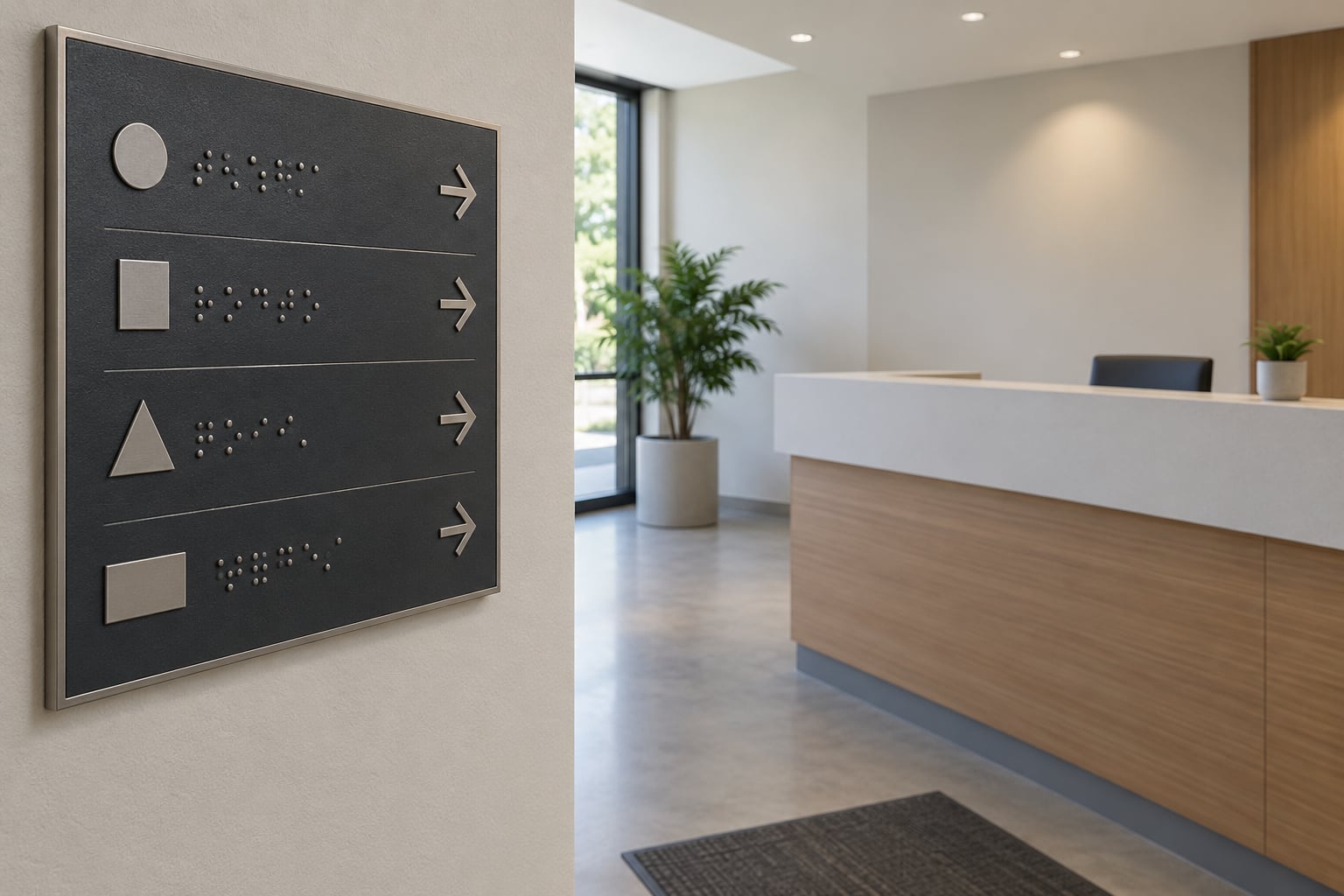
- Directional and wayfinding signs that point without naming a permanent space
- Informational signs, notices, and policy statements
- Building directories, menus, and seat or row designations in assembly areas
- Instructions for use of equipment
- Company names, logos, and brand wordmarks standing alone
- Signs not intended to remain longer than seven days
Word the decision test carefully in your head: if a reader must find that room today, next month, and next year, it gets braille. If the sign is telling people where to turn, it usually does not.
No, the 15-employee threshold does not exempt you from signage
This is the single most common mistake in this area, and it comes up constantly on small-business forums. The ADA splits into two titles that people blur together. Title I covers employment and applies to employers with 15 or more employees. Title III covers public accommodations and commercial facilities, and it has no employee-count threshold at all.
So a four-person bakery with a customer-facing counter is covered by Title III. Being under 15 employees does nothing to the signage requirement. Being exempt from Title I does not mean being exempt from the sign rules that apply to your customer-facing space.
Non-compliance is complaint-driven, not inspection-driven
Nobody walks into a small shop with a clipboard and a ruler as a matter of routine. What actually happens is a customer reports a problem, or a private lawsuit is filed, and then a remediation demand arrives with a deadline attached. Businesses tend to treat signage as an afterthought until that moment arrives.
There is no substitute for knowing the measurement before you order, because once a sign is wrong, the fix costs the sign, the labor, and the disruption. I would rather you spend ten minutes with a tape measure now.
What Does the ADA Standard Actually Require?
The federal baseline is the 2010 ADA Standards for Accessible Design. Two sections do almost all the work: Section 216 sets out which signs must exist and where, and Section 703 sets out how tactile signs and braille are physically made. Everything else is interpretation on top of those two.
Braille sign rules for small businesses: required wording and exceptions
The required sign normally communicates the name of the room, space, or destination. Grade 2 braille, the contracted form, is the expected English-language version. Where the visual text is in a language other than English, Section 216.8 allows the roman characters to be provided instead of braille in limited situations, and 216.8 exceptions cover kennel and holding pen designations, elevator equipment, vending machines, and service and support counters. Those exceptions are narrow and get read narrowly.
Four exceptions come up constantly in the sign industry. Display and assembly areas rely on seat and row designations rather than names, so those signs do not carry braille. A logo or brand name standing on its own is decorative text, not a room designation. Temporary signage has the seven-day limit. And service counters are not automatically required to have braille at the counter itself.
Check your state and local code before you rely on any of those exceptions. Some of them do not survive contact with a stricter building code.
The federal measurement spec you can verify with a ruler
This is the table to take to a supplier. Every number here is from Section 703 of the 2010 Standards.
| Measurement | Requirement |
|---|---|
| Character height | 5/8 inch to 2 inches above the background surface, measured to the top of uppercase characters |
| Character raise | Minimum 1/32 inch above the background |
| Stroke thickness | 1/4 to 1/8 of uppercase character height, minimum 1/32 inch |
| Braille dot base diameter | Minimum 0.043 inch |
| Braille dot height | Minimum 0.019 inch |
| Dot spacing within a cell | 1.0 to 1.1 times the dot base diameter |
| Spacing between corresponding dots in adjacent cells | 2.5 times the dot base diameter |
| Mounting height | 48 to 60 inches above finished floor, baseline of lowest braille cell |
| Horizontal clearance from door edge | None, that is, the sign may sit at the door edge on the latch side |
Type matters as much as size. Use a sans-serif typeface. Use uppercase for tactile characters except where lowercase is required for internal capitals, which is how proper nouns get written. Keep the finish matte, satin, or eggshell. A glossy acrylic panel throws a specular highlight across the letters and counts as a failure even when the measurements are perfect.
What state and local codes add on top
Federal law sets the floor, and state accessibility or building codes frequently go past it. California is the clearest worked example. California’s Title 24 requires specific geometric symbols on restroom doors: a 12-inch equilateral triangle for men, a 12-inch circle for women, and a triangle inside a circle for a unisex restroom, each drawn with a stroke thickness of 1/4 inch. That is a two-sign system, a tactile wall sign plus an on-door symbol, and it does not exist in most other states.
Other jurisdictions have their own variations on restroom sign geometry, mounting language, and which spaces need identification. If you operate in more than one state, each location is judged under that state’s code. Check the state building code, your city or county accessibility rules, and any landlord or property-management requirement that may be stricter than either.
A digital screen does not replace a required tactile sign
Putting a monitor on a door to display the room name does not remove the need for a braille sign. Operators working in digital signage have run into this repeatedly: a screen is a nice-to-have addition, not a substitute, because a screen is unreadable by touch and can fail or be off. If the space needs a tactile designation, it needs a physical tactile sign.
Where your logo and brand colors fit
Your colors can usually stay. The contrast requirement is about light characters on a dark field or dark characters on a light field, so a dark navy panel with white raised letters works. What does not work is a logo so large that it pushes the text out of compliance, a color pair too close to read, or a gloss level that creates glare. Put the logo on the sign, keep the message text compliant, and keep the finish matte. That is the whole negotiation.
How to Read Grade 2 Braille Correctly
The visual text and the braille do not look identical, and that trips people up. They must say the same thing. What changes is the mechanics: Grade 2 braille uses contractions, so a long word can occupy four cells instead of twelve. Punctuation has its own conventions. Capitalization indicators appear because braille has no concept of a capital letter.
That is why you cannot run English text through automatic braille translation software and call it done. Machine translation of Grade 2 braille is unreliable, and a sign with subtly wrong contractions still gets read as wrong by the person who depends on it.
Have the translation done by a qualified braille translator or a sign manufacturer that fabricates in-house. The ADA Braille Authority publishes production guidelines that manufacturers in this industry treat as the working reference, and a supplier who has never heard of contraction rules is not the supplier you want.
Where Must Tactile and Braille Signs Be Mounted?
Mounting is where compliance most often breaks, and it breaks in a way that looks fine from across the room. The measurement is taken from the baseline of the lowest braille cell, not from the top of the sign and not from the center of the sign. That baseline has to land between 48 and 60 inches above the finished floor.
The placement rules:
- On the latch side of the door, that is, the side the handle is on
- Within 12 inches of the door edge, or on the wall adjacent to the door if that is closer
- Where a person can locate it without reaching over or around an obstacle
- With clear floor space in front of it so someone standing can read it by touch
- Level, secure, and not hung on a door that swings or slides
If your finished floor is uneven, the measurement reference point changes with the surface the person is standing on. That is a real issue in older buildings with ramps or thresholds, and it is worth walking the space with a tape measure rather than trusting the contractor.
How to Order a Compliant Braille Sign
Most signage mistakes are wording mistakes that happen before anyone measures anything. A room gets renamed, a sign gets ordered to the old name, and it is non-compliant the day it is installed. Work through the sequence below instead.
- Inventory what you already have. Walk every door that names a permanent room or space. Record the exact current wording, not the wording you wish was there.
- Confirm which code actually governs. Federal baseline, then your state code, then any local overlay or landlord requirement.
- Lock the visual wording in writing and get it approved by the person who owns the space. No verbal approvals.
- Ask how the braille will be produced. Fabricated domed dots, translated by someone who works in Grade 2. If the answer is a print shop with a plotter, walk away.
- Request a tactile sample before the full run. You want to run a fingertip across it. Flat ink dots are not braille.
- Confirm the mounting height with the installer in writing, and have them document it after installation.
- Keep the record. A photo of the finished sign installed at height, with a tape measure in frame, is cheap evidence that you took compliance seriously.
How to spot fake braille before you pay for it
Flat printed dots are the most common defect in this market and the easiest to catch. Run a fingertip across the dots. Real domed braille is smooth and rises; printed dots feel like texture on a flat surface, and at a glancing angle the light tells you the same thing.
Three other red flags: a supplier who cannot explain what Grade 2 contraction is, a quote with no spec sheet attached, and no willingness to state mounting height guidance. A supplier who gives you the numbers in writing is usually a supplier who can hit them.
Do Temporary Signs and Stickers Need Braille?
Signs not intended to remain longer than seven days are exempt. That covers seasonal decorations, a limited-run sale notice, a temporary directional sign for an event, and window stickers you take down at the end of a promotion. The sign has to genuinely be temporary, and the seven days is a ceiling, not a target.
A notice that goes up every Monday and comes down every Friday is a standing sign with a short leash, and it is not exempt. The same goes for seasonal branding that comes out every December and goes back in storage. Anything that repeatedly reappears is functioning as a permanent sign for practical purposes.
There is one more nuance worth knowing. Some jurisdictions treat permanent and temporary signage differently, and a few require removal of obsolete temporary signs as a condition of the exemption. If the temporary sign sits on an exterior facade or a public right-of-way, local sign ordinances may impose separate rules about the sign itself.
How to Inspect and Maintain Braille Signage
Signs fail quietly. A room gets renamed, a sign gets bumped during a furniture move, a door gets hung on different hinges so the latch side flips. None of that generates an alert.
Check on a routine, and check the same things every time:
- Visual wording still matches the space as it is actually used today
- Braille still reads correctly under a fingertip, with domed dots intact
- Contrast is still readable in the space’s real lighting, including at night
- Finish has not picked up glare from a lighting change or a window addition
- Mounting hardware is still tight and the sign is still on the latch side
- Height still measures 48 to 60 inches at the lowest braille cell
Include people who read braille in your quality checks when you can. Invite a customer, an employee, or a local accessibility group member to run a finger across a batch of signs before you sign off on the invoice. It takes ten minutes and it catches things a ruler does not.
A ten-minute self-audit you can run yourself
Bring a tape measure and a phone. Start at your front door and work inward.
- List every door that names a permanent room or space.
- Measure the baseline of the lowest braille cell on each one. Anything outside 48 to 60 inches gets flagged.
- Confirm each sign is on the latch side and within 12 inches of the door edge.
- Run a fingertip across every sign. Flat or missing dots get flagged.
- Read the braille and compare it to the visual wording. Flag anything that does not match.
- Check contrast and glare in the space’s actual lighting.
- Photograph anything you flagged before you start fixing it.
What to do after a remodel, rename, or break
A remodel is the most common way signage quietly goes out of compliance. Renaming a storage room into an office creates a new space that needs identification. Moving a sign during construction can change its height, its side, or its wording.
Add one rule to your remodel checklist: before the contractor closes the wall, walk every affected sign against the audit steps above. If a room changes function, the sign gets re-evaluated as if it were new, because legally that is what it is.
Frequently Asked Questions
Does every business sign need braille?
No. Braille is required on signs that identify permanent rooms and spaces in facilities open to the public, plus required facility signs like restroom, stairway, exit, and mechanical room identification. Directional signs, informational notices, building directories, menus, seat and row designations, instructions for using equipment, and standalone logos generally do not need braille. The governing test is simple: will the space still be called that next year?
Do temporary signs, window decals, and marketing signs need braille?
Usually not. Signs not intended to remain longer than seven days are exempt, which covers seasonal decorations, limited-run sale notices, and short event signage. A notice you put up every Monday and take down every Friday does not qualify, because it functions as a standing sign. Exterior signs may also fall under local sign ordinances that add separate rules about size and placement.
Can braille be added automatically to an existing sign?
Not reliably. Grade 2 braille uses contractions, so the visual text and the braille will not look identical, and automated translation software produces errors that matter to the person reading it. Existing signs also have to clear the character height, raise, typeface, contrast, and finish requirements, which a decal or overlay usually cannot fix. Replacing the sign is usually the cleaner path.
How far above the floor should a room sign be mounted?
Between 48 and 60 inches above the finished floor, measured from the baseline of the lowest braille cell. That is the number that trips people up: it is not the top of the sign and not the center of the sign. The sign also goes on the latch side of the door, within 12 inches of the door edge, where a person can find it by touch without reaching around an obstacle.
What is the difference between grade 1 and grade 2 braille?
Grade 1 braille is uncontracted, one letter per cell, and takes up more physical space. Grade 2, which ADA signage normally uses, applies standard contractions so common words and letter groups fit into fewer cells. Because contractions shorten the text, the braille on a sign does not visually mirror the printed wording, even though the two say exactly the same thing.
Can state or local accessibility laws require more than the ADA?
Yes, and they often do. State building codes can add geometric restroom door symbols, tighter mounting language, and identification requirements for spaces the federal standard leaves alone. California Title 24 is the clearest example, with specific on-door restroom symbols and a two-sign system. Local ordinances and landlord requirements can add more. Check the state code and your city or county rules before you order.
What to Do First
Start with an inventory, not a purchase. Walk the space, list every door that names a permanent room or space, and measure the baseline of the lowest braille cell on each one. That single pass tells you whether you have a problem at all.
Then verify which code governs your location, because the state layer can be stricter than what you read online. Lock the exact visual wording in writing before anything is fabricated, and never let the braille be machine-translated.
When a location is genuinely uncertain, bring in a qualified accessibility or braille specialist for an hour of consulting. That is far cheaper than replacing a building’s worth of signs after a complaint, and it is the single highest-impact thing an owner can do this week.
Reviewed for accuracy in 2026. This article is general information about accessibility signage requirements, not legal advice. The 2010 ADA Standards for Accessible Design published by the U.S. Department of Justice at ada.gov are the authoritative federal source.